Automotive AI expert

Let your car speak to you.

Our vision goes beyond reading fault codes—we help you read your vehicle's overall health together with sensor and driving data. Plug in OBD2 for preventive insights and fault-code analysis, live data and trip summaries with your pocket automotive AI expert.
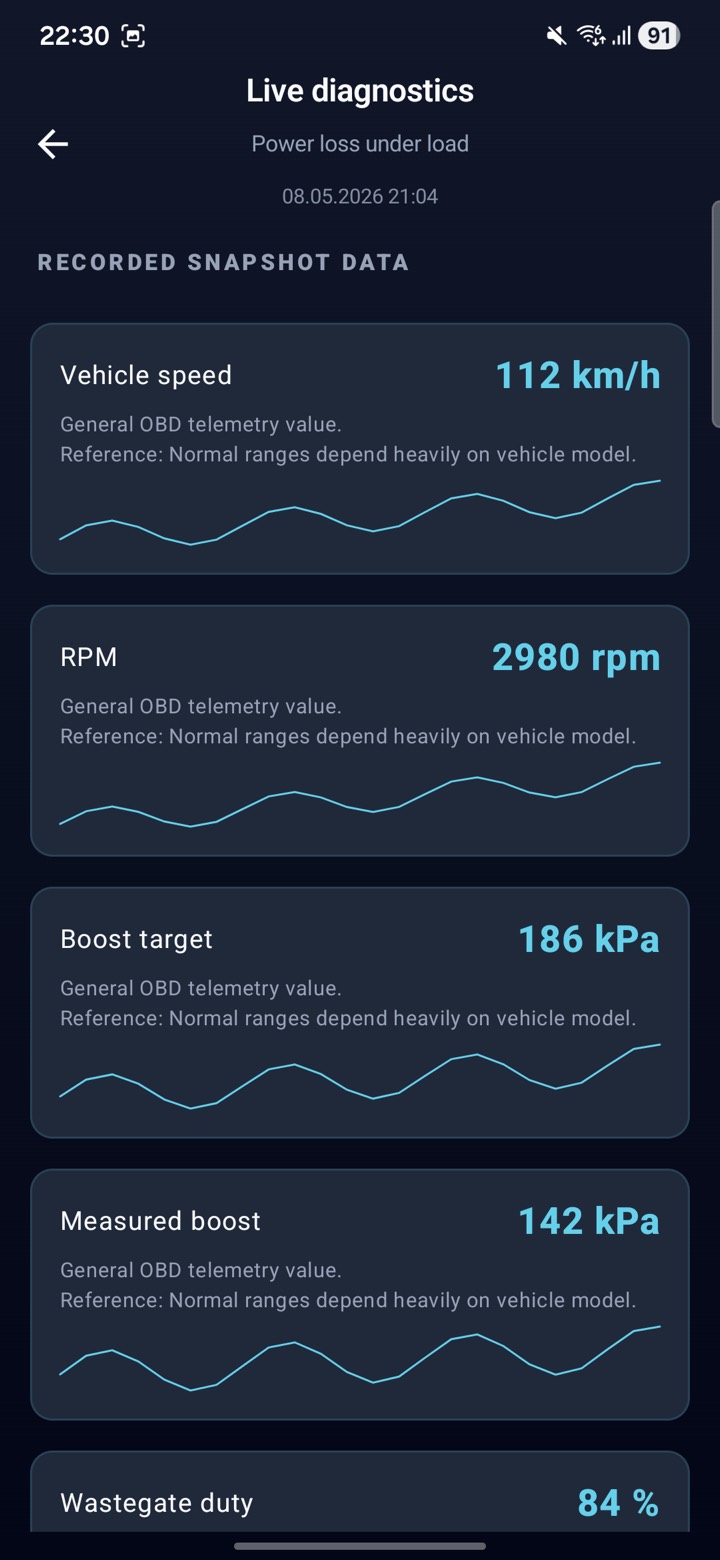
Live OBD2 sensor data screen in MechanicAI
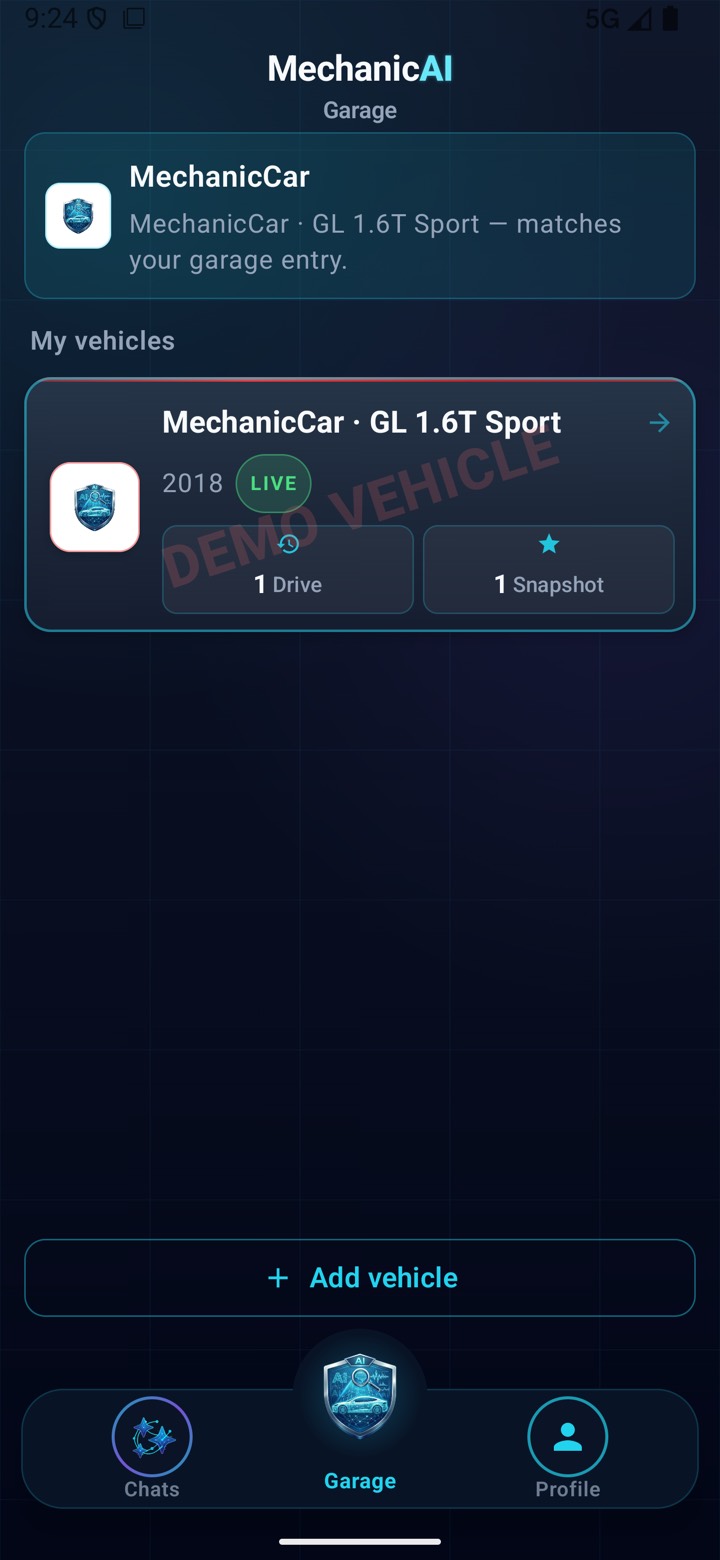
MechanicAI Garage screen
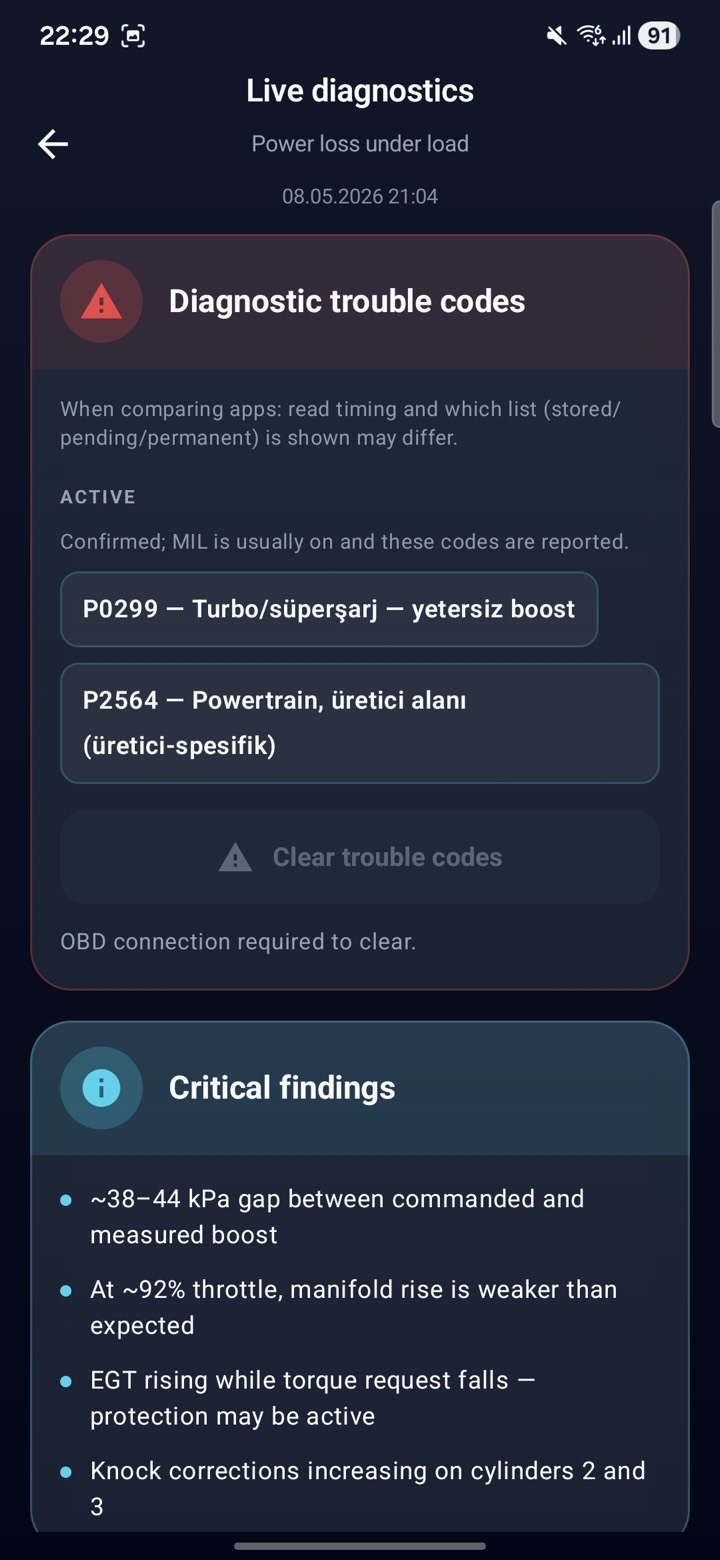
Fault codes screen
Engine RPM
1.840 rpm
159+
Codes & diagnostic content
34+
Supported brands
7/24
Automotive AI expert
OBD2
All compatible vehicles
// HOW IT WORKS

From plug to diagnosis in three steps.

No workshop visit needed to understand your car — an OBD2 bluetooth adapter and MechanicAI are enough.

01 — PLUG IN

Plug in the OBD2 adapter

Insert a Bluetooth ELM327-compatible OBD2 adapter into your car's diagnostic port — usually under the dashboard, near the steering wheel.

02 — PAIR

Pair with your phone

Open the MechanicAI mobile app, pair the adapter over Bluetooth, and it starts streaming live engine data within seconds.

03 — DIAGNOSE

Scan, log, and ask the AI

Read and clear fault codes, record your trips automatically, and ask the automotive AI expert what your car's data really means.

// LIVE DATA

Your car's pulse, in real time.

The moment you plug in the OBD2 adapter, MechanicAI starts streaming live data from your vehicle. Dozens of sensors, zero lag, one panel.

MechanicCar · GL 1.6T Sport

LIVE · 5 Hz
Engine speedRPM
1.840
Coolant temp.°C
91°C
Vehicle speedkm/h
62
Fuel trimBank 1, short
+2.4%
MAF flowg/s
22.4
LambdaO₂ Bank 1
0.98
Throttle%
16%
// MECHANICAI CHATS

Expert insight from live data & trips

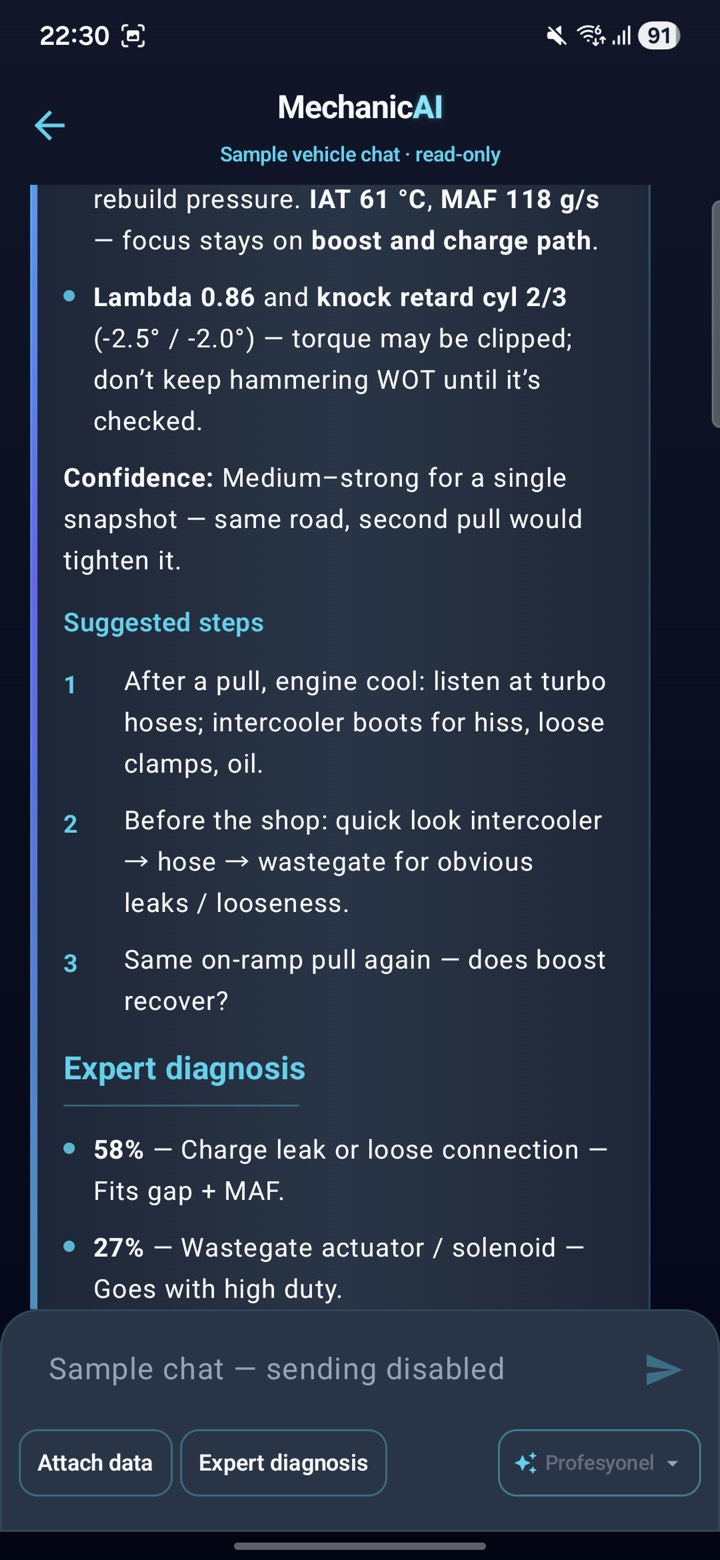
Gemini-powered chat uses an instant session or a past trip as context—ask for likely causes, what to check first, and practical next steps. You can also chat about cars in general when no vehicle is connected.

AUTOMOTIVE EXPERT · CHAT

Diagnostics
in conversation.

Pick an instant log or a finished trip from the garage and ask “what does this mean?”—responses use your session data as context. Information is guidance only; get a professional for safety-critical repairs.

Instant / trip context Likelihood & priority General chat, no car
MechanicAI expert chat screen
// FEATURES

Everything about your car in one screen.

See how your car is doing before trouble hits: tell normal driving from early warning signs. Understand the data before the shop — MechanicAI puts it in plain language.

01 — FAULT CODES

Scan fault codes —
read, clear.

Reads active, pending, and permanent codes in seconds. Explanations, timestamps, and freeze-frame data together. Clear with one tap when you need to.

Active / Pending Freeze frame One-tap clear
Fault codes screen
02 — LIVE SENSORS

Your sensors' pulse,
without delay.

RPM, speed, coolant, lambda, MAF, throttle — dozens of PIDs. Each with a live sparkline. View history and catch changes as they happen.

50+ PIDs Live chart 5 Hz sampling
Live sensor data
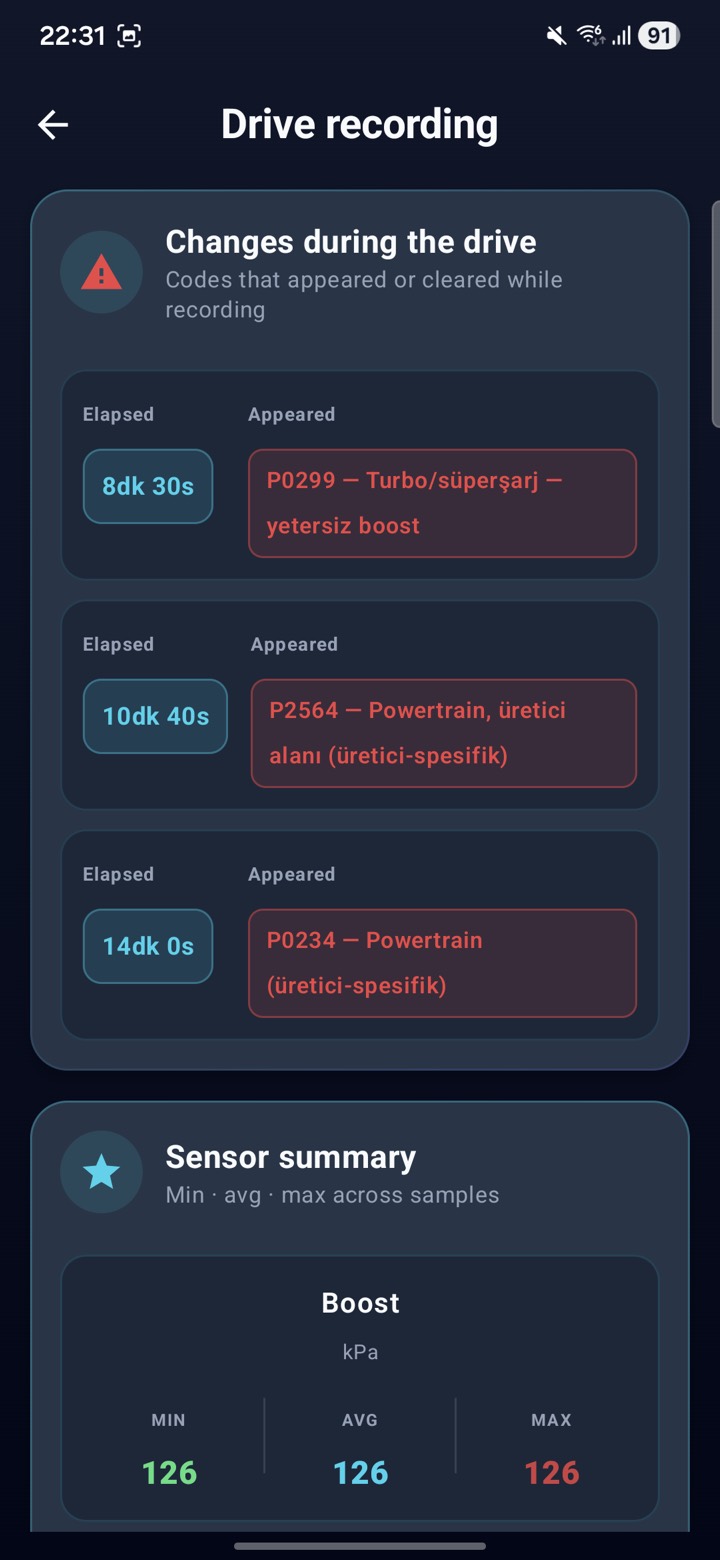
03 — TRIP LOGS

Every drive tells
a story.

Recording starts automatically when you drive. Min · average · max sensor values, anomalies, and fault-code changes are stored with each session so you can compare past trips.

Automatic logging Min / Avg / Max Past sessions
Trip log summary
04 — MULTI-GARAGE

Multiple vehicles,
one app.

Save every vehicle as its own card — family, fleet, or customers. Each keeps its own sensor data, trip logs, and automotive AI expert chat history.

Unlimited vehicles Separate history Quick switch
Garage screen
// FAULT CODE LIBRARY

Know your fault code before the shop.

120+ fault codes explained: what each one means, what is most likely behind it, and what to check first — so you walk into the workshop already knowing. Search by code, part, or symptom.

Browse fault codes

Turn that warning light into a plan before it turns into a bill — 120+ codes, real causes, first checks.

// FAQ

Frequently asked questions

OBD2 adapters, supported vehicles, fault codes, and the automotive AI expert — the short answers.

Which OBD2 adapter do I need?
MechanicAI works with widely available Bluetooth ELM327-compatible OBD2 adapters. Plug the adapter into your car's OBD2 port — usually under the dashboard — pair it with your phone, and the app starts streaming data.
Which cars does MechanicAI support?
Any vehicle with a standard OBD2 port: most petrol cars sold since 2001 and diesels since 2004 in Europe (since 1996 in the US), with diagnostic content covering 34+ brands.
Can I read and clear fault codes?
Yes. MechanicAI reads active, pending, and permanent codes in seconds, with plain-language explanations and freeze-frame data, and lets you clear them with one tap.
Can MechanicAI tell me why my check engine light is on?
The AI chat uses your live session or a past trip as context to explain likely causes, what to check first, and practical next steps. Responses are guidance only — consult a professional mechanic for safety-critical repairs.
What is a trip log?
A trip log is a recording session that captures your vehicle's data over a whole journey. You start and stop it manually, or it starts automatically based on speed and RPM thresholds. Throughout the drive it stores sensor values (average, minimum and maximum), fault-code events, duration and summary metrics — so you can rename past sessions, review them with charts, and ask the AI to analyze them.
What is an instant snapshot?
An instant snapshot captures a complete photo of a single moment from your current session: the active fault codes plus all sensor values. You can give it a title; snapshots are saved per vehicle and open in a read-only view similar to the live panel. It is ideal for freezing a fault exactly when it happens, so you can review it later or ask the AI about it.
Is MechanicAI free?
MechanicAI is free to download. Connect an OBD2 adapter and you can start reading live data right away.

Your car is ready
to talk.

Plug in your OBD2 adapter and download the app. You'll be up and running in seconds.